 Simple Flight Suite
 Simple Flight Dashboard Pro
The ultimate cockpit companion. Fly smarter, fly simpler.
Thank-you gift Windows desktop app. A thank-you gift for anyone who supports my work.
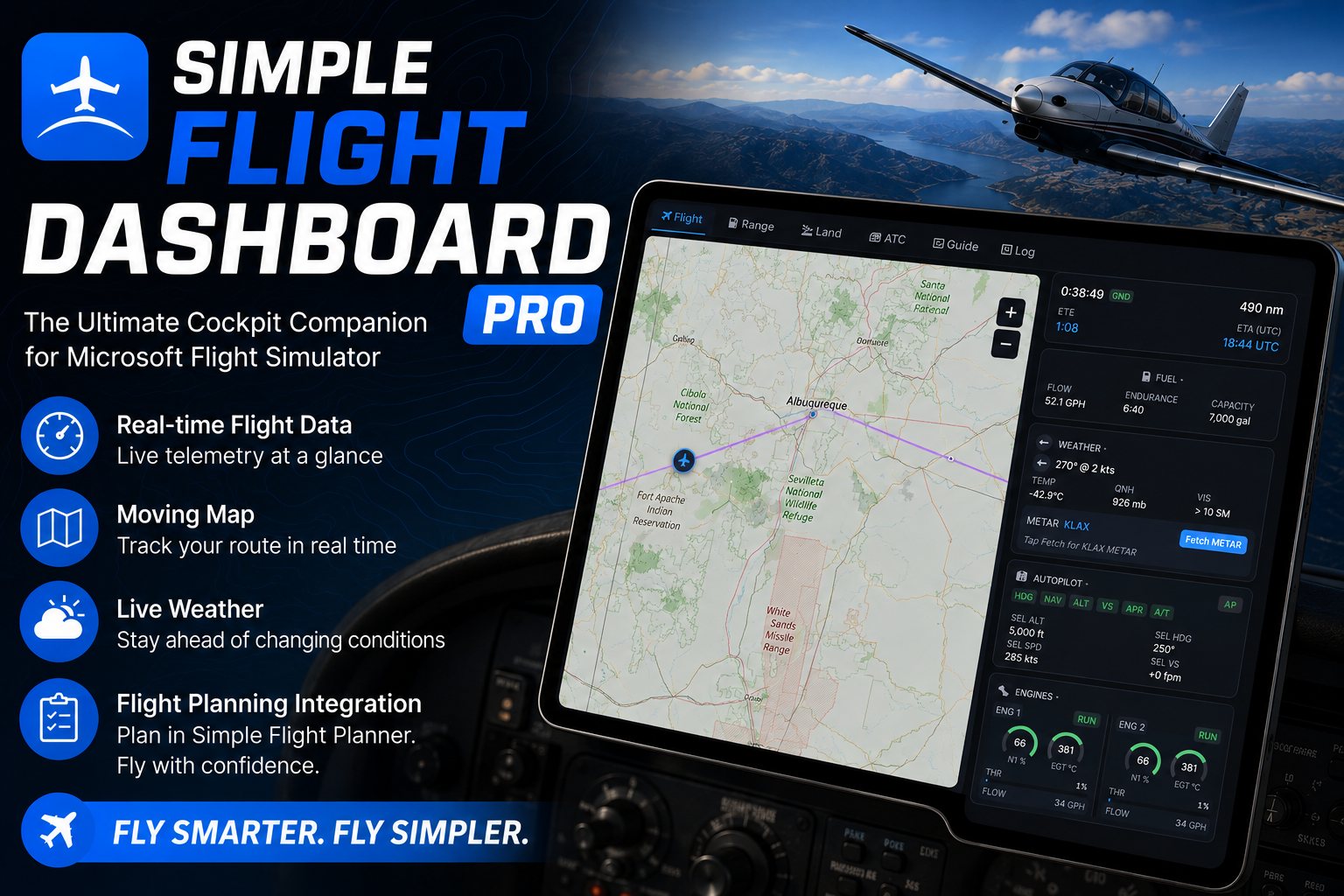
Dashboard Pro is a standalone Windows app that talks to Microsoft Flight Simulator directly through SimConnect. No add-ons, no configuration: start the sim, press Connect, and everything about the flight is in front of you.
Float it over the sim on a touchscreen or put it on a second monitor. Telemetry, a moving map with your route and your trail, live weather overlays, the frequencies for the field you are approaching, the phraseology for the call you are about to make, a score for the landing, and a logbook that fills itself in.
While You Fly
- Eight live panelsAltitude, indicated and ground speed, vertical speed, heading, fuel, autopilot, engines, control surfaces and AI traffic.
- Moving mapYour route, your trail coloured by altitude, nearby traffic, and a ring showing how far your fuel actually reaches.
- Live weatherConditions as they change, not as they were when you took off.
- Global overlaysPrecipitation radar, SIGMETs and AIRMETs, winds aloft and TFRs.
Briefing and Radio
- Pre-flight briefingMETAR, TAF and NOTAMs for departure and arrival, in a tab of their own.
- Phase-by-phase checklistsThe right list for where you are in the flight, and you can add your own as JSON.
- Phraseology coachReal ICAO phrasing for the call you are about to make, following your flight phase in real time.
- Frequencies for anywhereOver 70,000 airports worldwide, with ATIS, clearance, ground, tower, approach and departure filled in automatically.
After You Land
- Every landing scoredOut of 100, on touchdown vertical speed, approach speed and rollout.
- Automatic logbookIt fills itself in as you fly, keeps your personal records, and exports to CSV or a printable A4 PDF.
With the Planner
- Two-way syncConnected to Simple Flight Planner over WebSocket. Change the route in either place and the other one follows.
Getting It Running
Extract the zip and double-click start.bat. Needs the .NET 8 SDK. Start Microsoft Flight Simulator first, then press Connect — SimConnect links up on its own, with no add-ons to install.
On This Page
Works With
- Simple Flight Planner
Two-way route sync: edit the plan in either one and both stay current.
- Simple Flight Tracker
The free bridge does the same job in the browser, with fewer tools.
Simple Flight Planner, Simple Flight Tracker, Simple Settings Sheet, Simple Flight Academy, Simple Traffic Compiler and Simple Flight Traffic are free to everyone. The rest, this one included, are what I send back to people who support my work — all of them, together.