 Simple Flight Suite
 Simple Traffic Compiler
Build your own AI traffic. Pick the aircraft and airports from lists, or write it as text. Checked, mapped and exported for Simple Flight Traffic to fly.
Free, in full Runs in your browser. Always free. No install, no account.
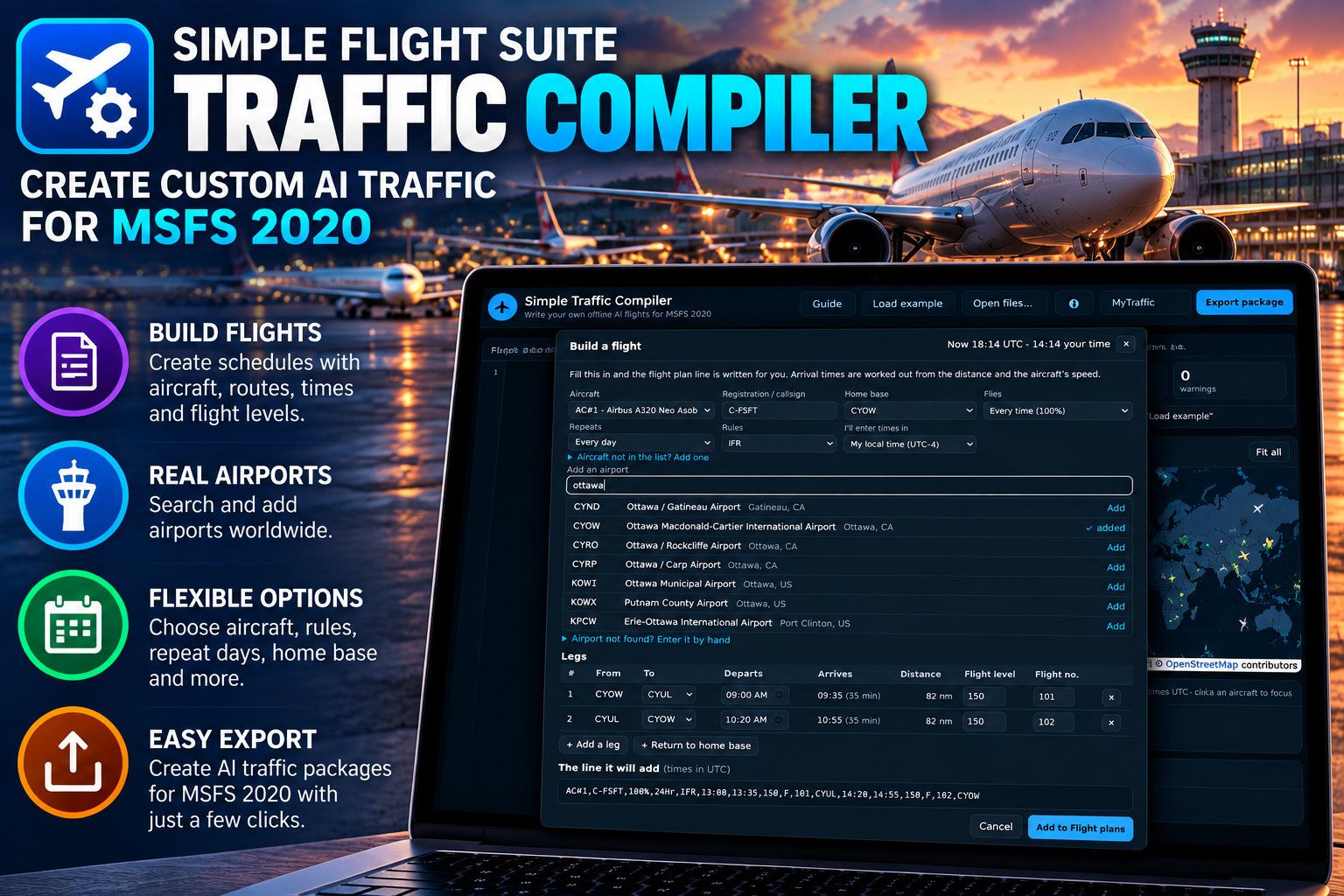
Live traffic shows you the airliners that are flying right now. It does not show you the squadron at your local air base, the flying club at the field down the road, your virtual airline, or the regional carrier that stopped flying in 1998. Simple Traffic Compiler is how you put those in the sky yourself.
The quick way is Build a flight: a form where you pick the aircraft, search for the airports, and enter departure times in your own local time. It knows about 19,000 airports, converts your times to UTC, and works out every arrival time from the distance and the aircraft's speed. You never look up a coordinate or do the arithmetic.
Underneath, each aircraft's schedule is one line of text, and you can write or edit it directly if you prefer. Either way the editor checks every line, draws the routes on a map and the day on a timeline, and exports a package. Simple Flight Traffic, the free Windows app, opens that package and flies it in Microsoft Flight Simulator 2020.
The format is the classic TTools one from FS2004 and FSX, so flight plans written for older sims adapt easily. It runs entirely in your browser. Nothing is uploaded, there is no install and no account.
From a Line of Text to an Aircraft at the Gate
- Write the flightsList your airports and aircraft, then click Build a flight and fill in the form, or type the line yourself. Load the example to see a complete set.
- Fix what it flagsUnknown airports, impossible times, a schedule longer than its repeat period. Click a message and it jumps to the line.
- Export the packageOne click gives you a .zip with a flight plan for every leg and the schedule that ties them together.
- Open it in Simple Flight TrafficLoad a flight in the sim, open the .zip in the app, and your aircraft appear at their gates on schedule.
Write
- Build a flightFill in a form instead of typing the line: pick the aircraft and airports, enter departures in your local time, and it converts to UTC and works out every arrival time.
- 19,000 airports built inType an ICAO code, a name or a city and the airport is added with its coordinates and elevation. No looking anything up.
- One line per aircraftRegistration, how often it flies, IFR or VFR, then each leg: departure, arrival, flight level, flight number and destination.
- The TTools formatThe same text format the community has used since FS2004, so existing flight plans carry over with little change.
- WaypointsAdd points between departure and arrival for training routes, low-level sorties or scenic flights — by coordinates, or by name from your own list.
- Daily or weeklyRepeat every hour, every day or every week, and set the chance an aircraft flies at all, so the ramp is not identical every day.
Check
- Checked as you typeEvery line is validated: times, coordinates, airports and aircraft that are not defined, turnarounds that are too short.
- One-click fixesUsed an airport you have not added? The error has an Add button that fetches it from the built-in list.
- Legs that cannot be flownIt works out each leg's distance and warns when the schedule needs more speed than the aircraft has.
- Exact aircraft titlesLoad the list of aircraft installed on your PC, saved by Simple Flight Traffic, and any title that would not spawn is flagged with the closest match.
- Map and timelineEvery route drawn on a map, every aircraft's day on a timeline, and a table of distances and block times.
Export
- A flight plan per legStandard MSFS .pln files, which you can also open in the sim's world map to check a route.
- A package for Simple Flight TrafficEverything the Windows app needs in one .zip. No unzipping, no folders to arrange.
- AIFP text filesThe same schedule in plain TTools/AIFP form, if you also use AI Flight Planner.
- Built-in guideA Guide button walks through the format, with an annotated example of a flight plan line.
On This Page
Works With
- Simple Flight Traffic
Opens the package you export here and flies it as AI traffic in the sim.
Simple Traffic Compiler is free to everyone — no donation, no account, no locked features. The apps marked as thank-you gifts are what I send back to people who support my work — all of them, together.