 Simple Flight Suite
 Simple Flight Academy
Learn, practice, understand, fly with confidence. Knowledge builds better pilots.
Free, in full Runs in your browser. Always free. No account required.
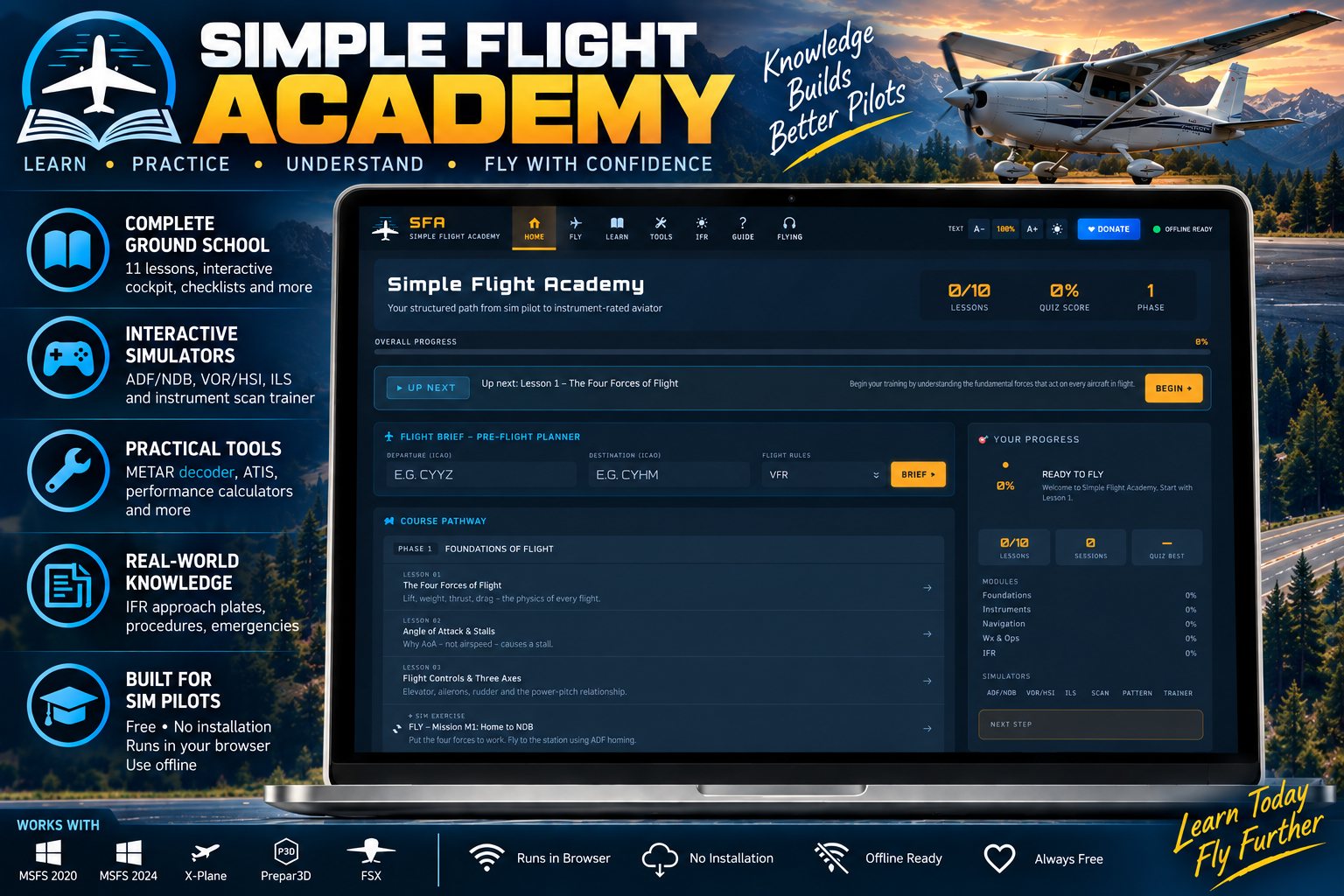
Simple Flight Academy sits between a YouTube tutorial and a real ground school. It teaches the why behind a procedure, not just the what — so when ATC tells you to hold at a fix, or the vacuum system quits at altitude, you know what to do and why you are doing it.
It is for simmers who want to fly properly, for anyone heading to VATSIM who needs to brush up on radio work and IFR procedure, and for student pilots wanting a ground school supplement. It is also the easiest thing to hand someone who has just bought the sim and has no idea where to start.
The whole thing is one HTML file. It runs in any browser, needs no account, and works offline after the first load.
I just took a look at Simple Flight Academy and honestly the work is really impressive. You can immediately see how much thought has gone into the project, especially the educational side and the way instruments and procedures are explained to simmers.
Chapy2753, MSFS forums
Fly: Interactive Simulators
- ADF and NDBA top-down moving map with a live beacon and five missions that get harder: tracking to the station, flying a radial, a teardrop approach, holding, and intercepting a course in wind.
- VOR and HSIFour instrument displays at once — CDI, HSI, heading indicator and RMI — updating live off real Canadian and US stations as you fly. Turn the OBS and watch the TO/FROM flag do what it does.
- ILSA full approach from the initial fix to touchdown, with working localiser and glideslope, PAPI lights, autopilot, and CAT I and CAT II/III minima.
- Instrument scan trainerTimed drills on the six-pack scan, to break the habit of fixating on one gauge.
Learn: Ground School
- 11 lessonsThe four forces, angle of attack, controls, instruments, navigation, weather, airspace, radio work, weight and balance, performance and IFR basics — in plain language.
- Interactive cockpitA clickable C172S panel and a G1000. Tap any instrument for what it does, how to read it, and what happens when it fails.
- Virtual cockpit trainerA stateful C172S with live engine instruments — RPM, oil pressure, cylinder head temperature and volts all moving. Guided flows for pre-flight, start, runup and shutdown, each step validated and explained: why it exists, what happens if you skip it, when it applies, who it protects.
- Free play and failuresFly it yourself and watch everything respond. Or take five silent failures with no warning — magneto, fuel starvation, carb ice, electrical, vacuum — and work out which one from the instruments alone.
- Checklists for three aircraftNormal and emergency, laid out the way the real POH does it: C172S, DA40 NG and PA-28.
- Emergency drillsFive interactive procedures — engine failure, forced landing, fire, electrical failure, vacuum failure — walked through in priority order.
- Traffic pattern trainerAn animated chart flying the full circuit, with the technique, speeds, flaps and power for each leg as you reach it. Left-hand and right-hand, C172S and DA40.
- Holding and procedure turnsCorrect racetrack geometry with all three entries and an entry-sector compass, and the 45/180 reversal animated on a chart background.
- 72-question quizAcross five banks, shuffled every attempt, with your weak areas flagged.
Tools
- METAR decoderPaste a raw METAR or fetch live weather by ICAO, and get every field explained in plain English. With a format reference card and a density altitude calculator.
- ATIS generatorRealistic broadcasts in proper format, read aloud for phraseology practice, plus a phonetic alphabet drill.
- ATC scriptsSeven complete scripts — ground, takeoff, departure, en route, approach, landing and go-around — that fill in your callsign, airport and runway.
- Weight and balanceA full C172S calculator with CG envelope, plus crosswind and density altitude, performance tables and V-speeds.
- Wind triangleTrue heading and groundspeed from airspeed and wind, drawn out as a diagram.
IFR: Approach Plates
- 21 annotated platesILS, VOR, RNAV/GPS and NDB approaches from Canada, the US and Europe, organised by country and type.
- Annotated, not just reproducedThe final approach fix, the DA or MDA, the missed approach point, the lighting and the minima, each explained on the plate.
Flying: Use It in the Air
- A panel for while you flyLive METAR with inline decode, V-speeds for all three aircraft, and ATC scripts with your callsign already in them.
- Quick referencePhonetic converter, squawk codes, weather minima, and quick checklists for every phase from before-start to landing.
- Emergency cardsEngine failure, fire, electrical and vacuum, one tap away.
- Rough numbers, fastTop of descent, glidepath vertical speed, density altitude, crosswind and fuel burn.
- Twelve linksSkyVector, Navigraph, SimBrief, VATSpy, Little Navmap, aviationweather.gov, FlightSim.to and more.
On This Page
- Fly: Interactive Simulators 4
- Learn: Ground School 9
- Tools 5
- IFR: Approach Plates 2
- Flying: Use It in the Air 5
Works With
- Simple Flight Planner
The Brief in Academy button in the planner brings you here for anything in the plan you are unsure of.
- Simple Flight Review
Learn the procedure here, fly it, then read what the debrief made of it.
Simple Flight Academy is free to everyone — no donation, no account, no locked features. The apps marked as thank-you gifts are what I send back to people who support my work — all of them, together.