 Simple Flight Suite
 Simple Flight Traffic
Your schedules, flying in the sim. Opens a package from Simple Traffic Compiler and flies it as AI traffic in MSFS 2020. Click Start now and the first one leaves in three minutes.
Free, in full Windows app. Always free. No account required. Version 1.1, Windows 10 and 11, about 50 MB.
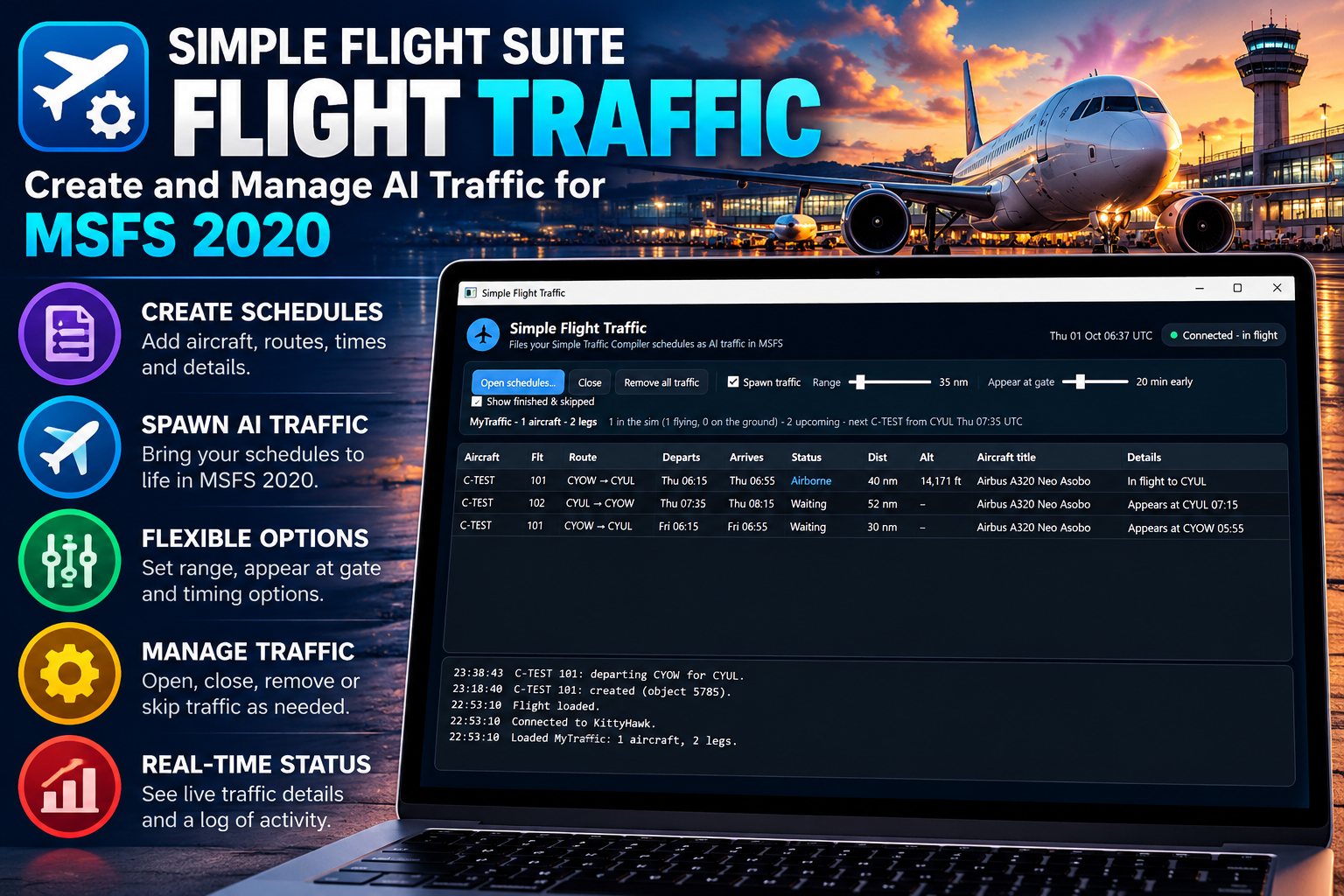
Simple Flight Traffic takes a schedule you wrote in Simple Traffic Compiler and makes it happen in Microsoft Flight Simulator 2020. About twenty minutes before a departure the aircraft appears at its airport. At departure time it is handed its flight plan, and the sim's own AI and air traffic control push it back, taxi it out and fly it to its destination.
It follows the simulator's clock, not your PC's, so the 08:35 departure leaves at 08:35 sim time whenever you happen to be flying. Load in mid-afternoon and the flights that should already be airborne are put in the air where they ought to be.
And when you just want to see it work, Start now skips the timetable: one click shifts the schedule so the next flight near you leaves in about three minutes, whatever times are written. Real times puts the timetable back.
You fly your own aircraft as normal. The app runs alongside, shows every flight and what it is doing, and removes its traffic again when you close it.
From a Line of Text to an Aircraft at the Gate
- Write the flightsIn Simple Traffic Compiler, in your browser: airports, aircraft, and one line per airframe with its schedule.
- Export the packageOne click in the compiler gives you a .zip.
- Open it hereStart the app, load a flight in the sim, and open the .zip or drop it on the window. It remembers the schedule for next time.
- Click Start nowThe next flight appears at its gate and leaves about three minutes later. Each flight goes from Parked to Departing to Airborne, with a log of every takeoff and landing.
Flying the Schedule
- Start nowOne button shifts the schedule so the next flight near you leaves in about three minutes, whatever times are written. See your traffic fly without touching a timetable.
- At the gate before departureAircraft appear at their departure airport ahead of time, then get their flight plan on schedule.
- The sim does the flyingPushback, taxi, takeoff and landing are the simulator's own AI and ATC, so your traffic behaves like the sim's.
- Sim time, not PC timeSchedules run on the simulator's UTC clock, so they are right whatever time you set.
- Already in the airJoin mid-schedule and flights that should be airborne are created en route, at the right point.
- TurnaroundsAn aircraft that lands and leaves again within two hours stays at the airport and flies the next leg itself.
Keeping It Light
- Only what is near youTraffic is created within a range you set, so a worldwide schedule costs nothing where you are not flying.
- Cleans up after itselfAircraft are removed after landing, when you fly away, and when you close the app.
- A limit you controlA cap on how many aircraft it will put in the sim at once.
Getting Titles Right
- Finds your installed aircraftIt scans your MSFS aircraft and lists every exact title, with search and a copy button.
- Warns before it failsIf a schedule names an aircraft you do not have, it says so, with the closest match.
- Feeds the compilerSave the list and load it in Simple Traffic Compiler, and titles are checked as you write.
Seeing What It Is Doing
- Every flight, with its statusWaiting, parked, departing, airborne or landed, with distance from you and altitude.
- A plain-language logCreated, departed, took off, touched down — and when something goes wrong, why.
- Built-in guideOpens on first run and from the Guide button: setup, every status, and troubleshooting.
Getting It Running
Download the installer and run it. Everything it needs is included. Start the app, load a flight in MSFS 2020, and open a package exported from Simple Traffic Compiler. The built-in guide opens the first time and walks you through a first test.
On This Page
Works With
- Simple Traffic Compiler
Where you write, check and export the schedules this app flies.
Simple Flight Traffic is free to everyone — no donation, no account, no locked features. The apps marked as thank-you gifts are what I send back to people who support my work — all of them, together.