 Simple Flight Suite
 Simple Flight Overlay
Turn your flights into epic videos. Real instrument overlays, synced frame for frame.
Thank-you gift Windows app, for video. A thank-you gift for anyone who supports my work.
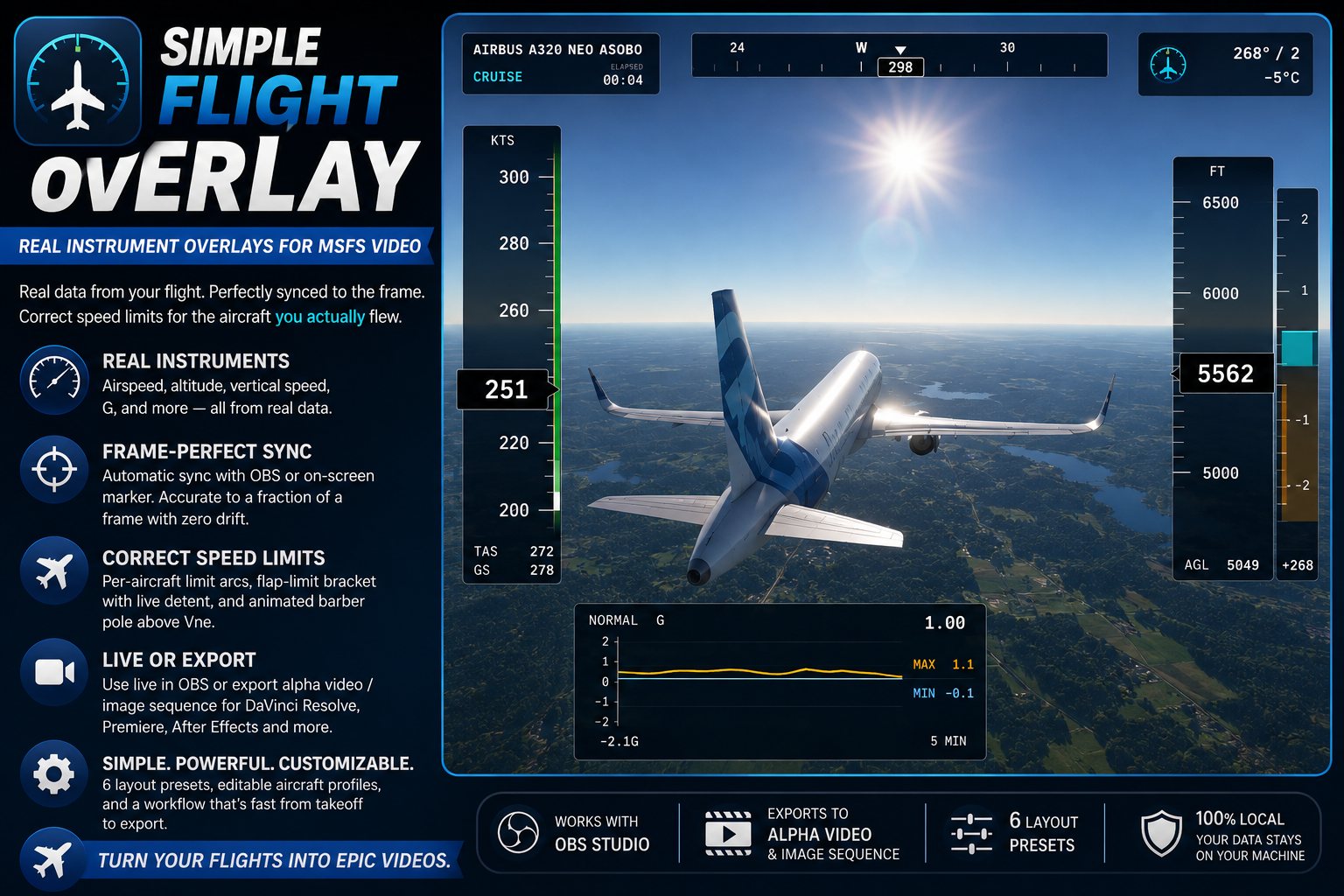
Simple Flight Overlay records what your aircraft was doing and turns it into a broadcast-quality instrument overlay for your video: airspeed tape, altitude, vertical speed, G, a moving map and route progress, all reading real data and aligned frame for frame with your footage.
Drop the exported file on the track above your recording in DaVinci Resolve, Premiere or After Effects. Or run it live as an OBS browser source, and stream with the overlay already on — no export step at all.
The Instruments
- Airspeed tapePer-aircraft limit arcs, a barber pole above Vne, and a flap-limit bracket that moves with the detent you are actually in.
- Altitude tapeWith terrain shading and an AGL readout.
- Vertical speedOn a compressed scale, so it stays readable at 200 fpm and at 2,500.
- G meterA rolling strip chart with peak hold.
- Heading ribbonWith a separate ground-track bug, so drift is something you can see.
- Wind and temperatureAn arrow drawn relative to the nose, plus outside air temperature.
- Moving mapVector-drawn: route, flown trail, waypoints and a track-oriented aircraft symbol.
- Route progressA rail showing distance and time to the next fix.
- ConfigurationFlight phase, flaps and gear.
Getting It in Sync
- Automatic with OBSIt solves the offset between telemetry and video by itself, and tells you how accurate it got.
- Or an on-screen markerA marker path for ShadowPlay and other capture tools that have no API.
- Exact frame rates59.94 is handled as 60000/1001, not as a decimal that drifts across a long flight.
- Check it yourselfA sync-verification mode, so you are not taking its word for it.
Live or Export
- Live in OBSAs a browser source, with nothing to render afterwards.
- Alpha-channel exportQuickTime RLE or ProRes 4444, or a PNG sequence.
- Your data out tooCSV and GPX export of the flight itself.
Making It Yours
- Seven presets, two themesPlus a tick-box dialog to choose exactly which elements appear.
- Editable aircraft profilesSeventeen speed profiles, kept as plain files in Documents — open one and change it.
- An illustrated guideBuilt in, covering setup, both sync methods, and every marking on every tape.
On This Page
Works With
- Simple Flight Review
Overlay shows what happened; Review is the one that grades it.
Simple Flight Planner, Simple Flight Tracker, Simple Settings Sheet, Simple Flight Academy, Simple Traffic Compiler and Simple Flight Traffic are free to everyone. The rest, this one included, are what I send back to people who support my work — all of them, together.