 Simple Flight Suite
 Simple Flight Review
Turn every flight into progress. Detailed data, visual analysis, trends.
Thank-you gift Windows app. A thank-you gift for anyone who supports my work.
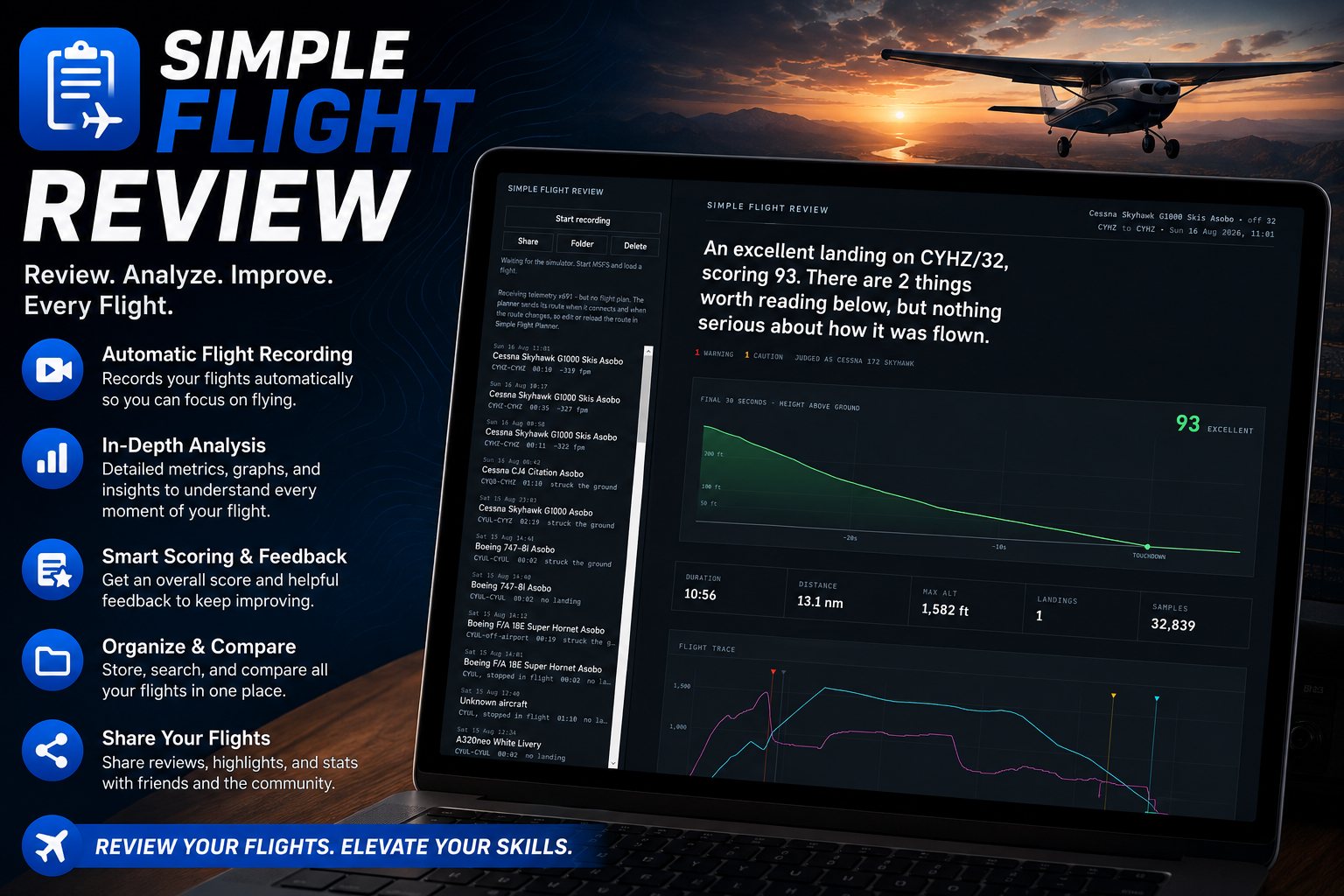
The first release was a landing analyser. Version 2.0 is a flight data monitoring tool.
Fly, press stop, get a debrief. Simple Flight Review records the flight through SimConnect and analyses it the way a real FDM programme would: your approach against a stabilisation gate, your touchdown against the aircraft's own reference speeds, and your landing against the runway you actually landed on.
What 2.0 adds is the two things that turn a score into something you can work on — every figure the flight produced, laid out so you can disagree with a verdict on the evidence, and those same figures tracked across all your flights, so a habit shows up as a habit rather than as a bad day.
Every Number the Flight Produced
- 80+ measurementsReported without judgement: speed at the gate against the target for your weight, the height you stabilised by, the height each flap stage went out, peak descent rate below a thousand feet, where past the threshold the wheels touched, how far off the centreline, crosswind and crab at the moment of contact, time and fuel by phase.
- The detectors read the same figuresSo a flagged event and the number printed underneath it come from the same arithmetic and cannot disagree with each other.
- Two kinds of missingA Cub has no speedbrake and that row will never have a value. A gear extension height that should exist and was not captured is a different problem — and you are told which one you are looking at.
The Approach, Drawn
- The descent to the runwayCharted, with the configuration schedule marked along it: gear down, each stage of flap, speedbrake, and the height by which the approach became stable.
- Measured in track milesDistance flown along the path, counted back from the wheels touching. That unfolds a circuit into one left-to-right line instead of folding downwind back over final — and it is what a controller means by track miles, so it reads the way you expect.
- The final thirty secondsA detailed height trace of the last half minute before touchdown.
The Landing
- Scored out of 100Across eight components, worst first, so you know what to work on rather than what to celebrate.
- How you arrivedTouchdown rate, loading, wings level, flare attitude and alignment.
- Where you arrivedCentreline accuracy and where on the runway you actually touched down.
- The real runwayRunway geometry read from the simulator itself, not from a public database that may not match what you flew.
- 22 approach detectorsFrom published flight data monitoring guidance: unstable approach, high descent rate near the ground, flap and speed exceedances, stall warnings, bounces, side load, long rollouts, tailstrike margin and go-arounds.
What Twenty Flights Say That One Cannot
- A trends pageUp to twenty measurements plotted across your recent flights in one aircraft: speed against target at 500 ft and at 100 ft, stabilisation height, descent rate at the gate, touchdown rate, touchdown point, centreline offset, crab, bounces and more.
- Written out in sentencesHow often you cross the gate slow and by how much, how many approaches never stabilised, whether your arrivals are drifting firmer or softer across the window.
- Allowed to say nothingEvery finding states its own evidence bar and stays quiet below it. Under about five arrivals it tells you so, instead of inventing a pattern.
- Your history on every debriefEach measurement carries where it sits against the same measurement from your recent flights in that aircraft — your closest of 12, your best of 8, about your average of 15. The bests and worsts are lifted to the top of the page.
- Nothing extra is recordedThe figures are recomputed from flights already on disk, so an old flight is judged by today's arithmetic.
The Radio
- Your calls, with positionIf Simple Flight Remote is running, its radio log is joined to the flight and printed alongside where the aircraft was when each call was made.
- Judged for the field you were atThe debrief knows a towered field from an uncontrolled one: CTAF position calls where there is no tower, a takeoff and landing clearance where there is.
- The two clearances that matterBecoming airborne without a takeoff clearance, and touching down without a landing clearance — both checked against the flight data rather than against the radio alone. Taking off from a line up and wait is reported as its own thing, because it is its own mistake.
- How often ground corrected youThe number of times ground had to put you back on the cleared taxi route, which Remote decided at the time and nothing was reading.
- Including the sim's own ATCIt reads MSFS clearances too, so a clearance you got from the simulator rather than through the app still counts.
While You Fly
- Live warningsStall, flap limits, descent rate, bank angle, and gear still up on final.
- Records by itselfStart the flight and it captures; you do not have to remember to.
26 Aircraft
- From the Cub to the A350Reference speeds, flap placards, weights and touchdown bands for twenty-six types — the Cub and the Extra, the Baron, TBM and PC-12, the A310, ATR, CRJ, E175, 737, 747, 777, 787 and A350.
- Each file says where its numbers came fromAnd flags the ones that are derived rather than published.
- Correct one, or add your ownA JSON file in your Documents folder. No build required.
Smaller Things Worth Knowing
- A gear-up landing is caught directlyRather than only when the approach was also fast or clean.
- A crash no longer contaminates the flight it endedThe figures for the rest of the flight stand on their own.
- Sensible about the aircraftA fixed-gear aeroplane is no longer asked about its gear, and unlimited fuel says so rather than reporting that you burned nothing.
- One file per flightOpens anywhere, offline, prints properly, and needs nothing installed to read it.
On This Page
- Every Number the Flight Produced 3
- The Approach, Drawn 3
- The Landing 5
- What Twenty Flights Say That One Cannot 5
- The Radio 5
- While You Fly 2
- 26 Aircraft 3
- Smaller Things Worth Knowing 4
Works With
- Simple Flight Planner
The route you planned is what your flying is compared against.
- Simple Flight Tracker
The free bridge is what carries your flight plan across. Optional — the debrief works without it.
- Simple Flight Remote
Its radio log is joined to the flight, and your calls are judged for the field you were at.
Simple Flight Planner, Simple Flight Tracker, Simple Settings Sheet, Simple Flight Academy, Simple Traffic Compiler and Simple Flight Traffic are free to everyone. The rest, this one included, are what I send back to people who support my work — all of them, together.